features
Everything you need to run many agents as one.
Brio is a complete product, not a wrapper: a web app, a CLI, an MCP and A2A server, sandboxed runners, a scoreboard, governance and self-hosting, all built and tested. Here is every part of it.
01 · Chat
Talk to all your agents like one assistant.
Ask anything. The best agent for it answers, or several build the reply between them.
- pick who takes part above the message box; agents that can't run yet say why
- follow-ups carry the conversation; replies arrive live
- see each agent's own answer, the cost and the checks behind every reply
- copy, stop a reply mid-way, or rate it to teach the scoreboard
- turn any reply into a full mission, with the chat as context
- answers render as Markdown; raw HTML from agents is shown as text
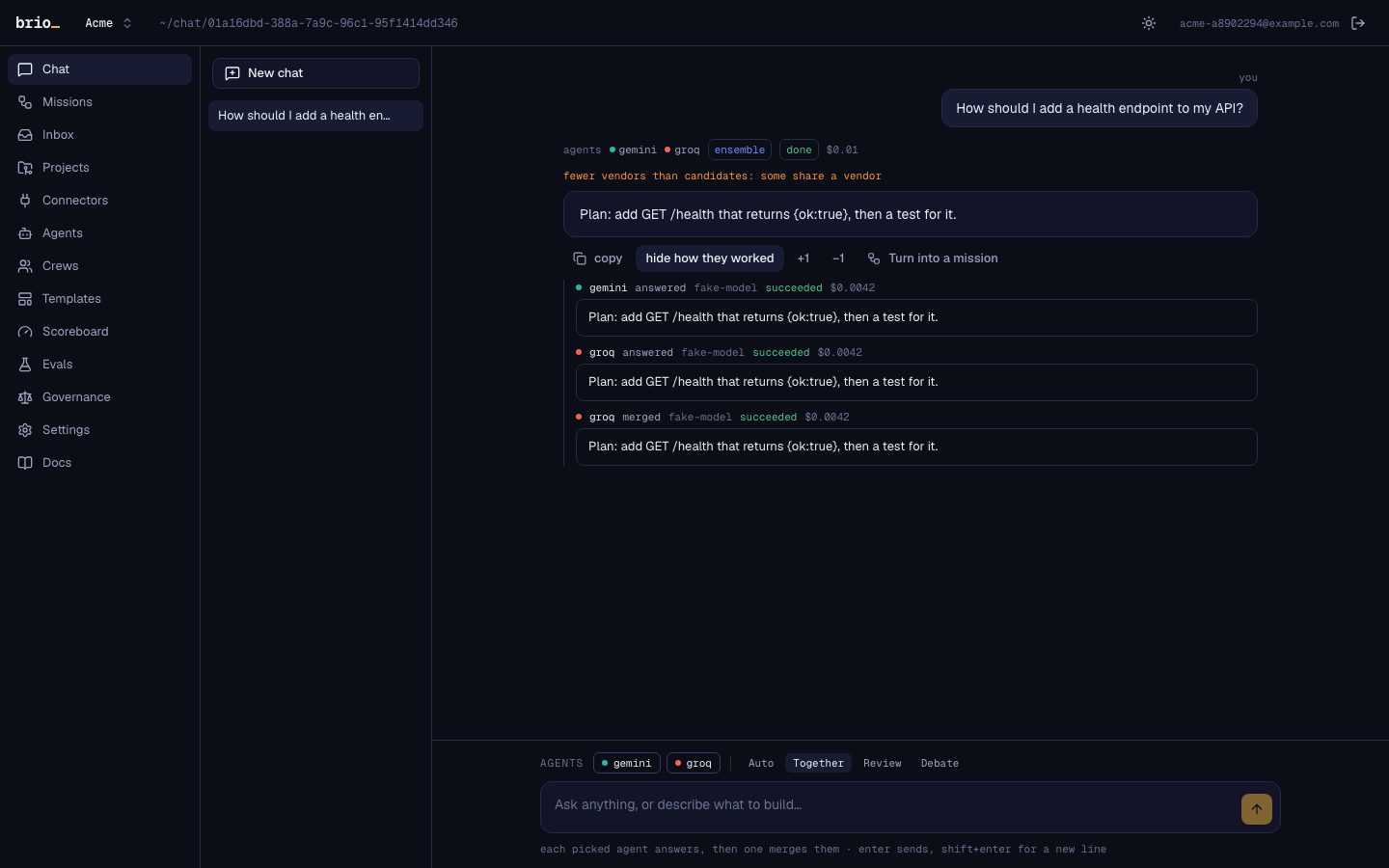
Auto
1 agentThe agent best at that kind of question answers, chosen by the scoreboard.
mode: single
Together
2+ agentsEach agent you picked answers, then one merges them into a single reply.
mode: ensemble
Review
2+ agentsOne answers; another checks it and asks for fixes until it holds up.
mode: maker_checker
Debate
2+ agentsThey argue it out, and a judge decides and writes the answer.
mode: debate
02 · Missions and plans
Give a goal; edit the plan before it runs.
Start from a sentence, files, a GitHub issue or pull request, and a project. Choose a priority and a budget, or leave them.
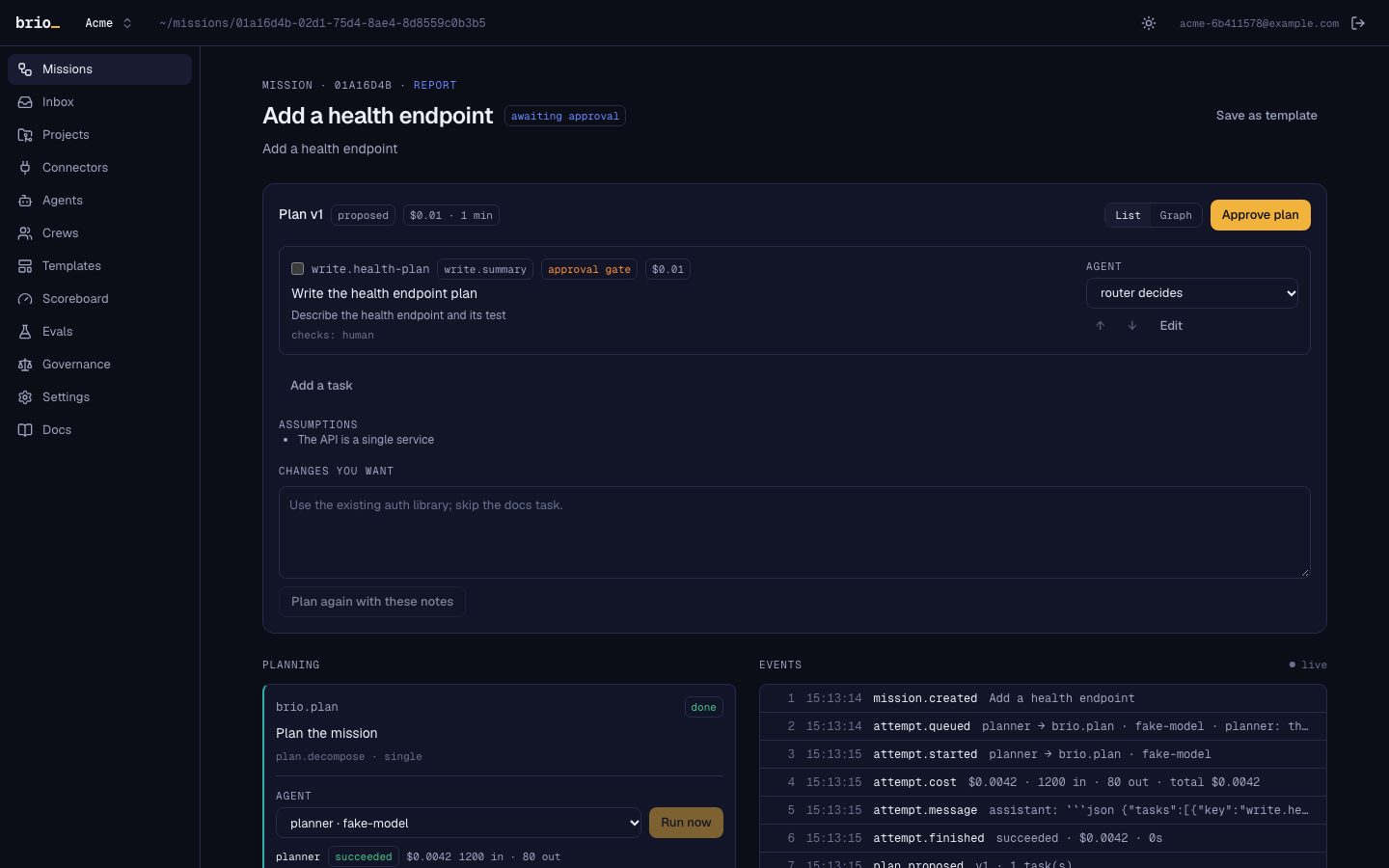
- a plan of typed tasks, each with a contract and checks
- edit it as a list or a graph: reorder, split, merge, gate, pin an agent
- every edit makes a new plan version; approve the one you want
- estimated cost per task and in total, before you spend anything
- quick start for small, cheap plans (no questions, ≤ $5, ≤ 10 tasks)
- up to three blocking questions, each with a default
| single | One agent does the task; a rubric review from another vendor checks it. |
|---|---|
| best_of_n | Two or three agents from different vendors try; the tests decide, a judge breaks ties. |
| maker_checker | One vendor makes, another reviews and sends it back until it passes. |
| ensemble | Several agents answer; a merger dedupes and reconciles them, keeping citations. |
| debate | Two vendors propose and argue; a judge picks and merges. |
| cascade | A cheap model first; it escalates to a stronger one only when a check fails. |
| pipeline | A fixed sequence of agents you saved as a template. |
03 · Live board
Watch every agent work, as it happens.
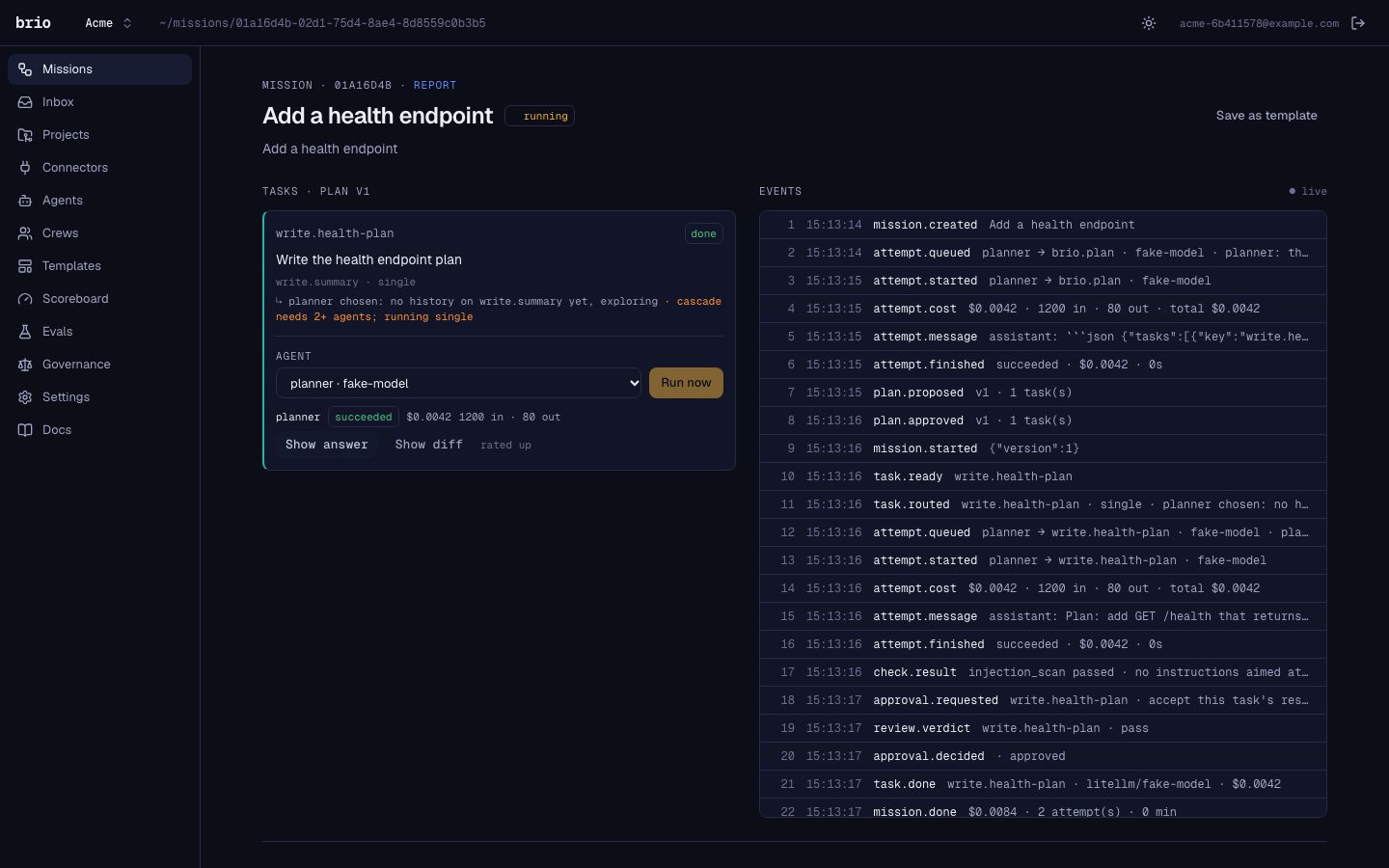
A lane per agent in its own colour, task cards with ids, a brass line for running work and verdict chips: pass, revise, fail.
- attempts, messages between agents and handoffs, live
- checks passing or sending work back, with their output
- cost against the budget, per task and in total
- a reconnect resumes exactly where it left off
- the same board in your terminal: brio board
- the report at the end: what was done, by whom, what is open
04 · Inbox and notifications
What needs you finds you.
Plans to approve, questions from agents, results to review and pull requests to open land in one inbox, and reach you where you are.
In the app
Browser push
Slack
Each person chooses what reaches them on each channel, and each event notifies each person once per channel.
05 · Scoreboard
Who wins at what, measured on your work.
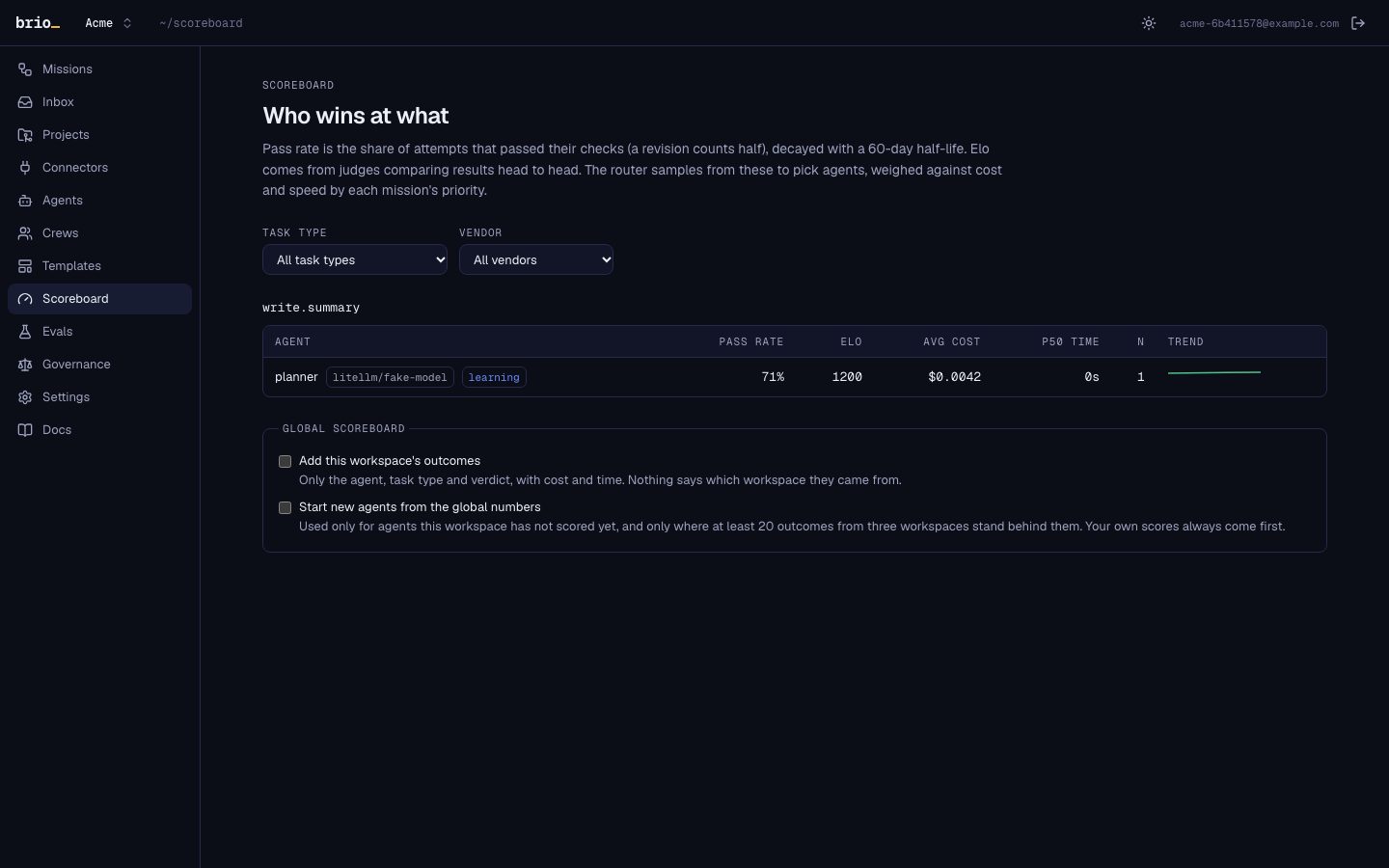
Pass rate, head-to-head strength, cost and speed per agent and task type, from real verdicts. Brio routes by it, and you can read it.
- one row per connector and model pair, per task type
- the router's rationale for every pick, in plain words
- your ratings count, and new models can climb
- optional pooled priors across workspaces, opt-in both ways
- a golden-mission eval harness compares Brio with each agent alone
06 · Crews and templates
Save the teams and the missions you run often.
A crew is a saved set of agents with an agent per task type; a template is a plan saved as a pipeline.
Crews
Templates
07 · Project memory
The next agent knows why the code is the way it is.
Each project keeps a memory graph, built from events: missions, tasks, contracts, prompts, decisions and the files they touched.
Briefs
Yours to correct
One database
08 · Governance
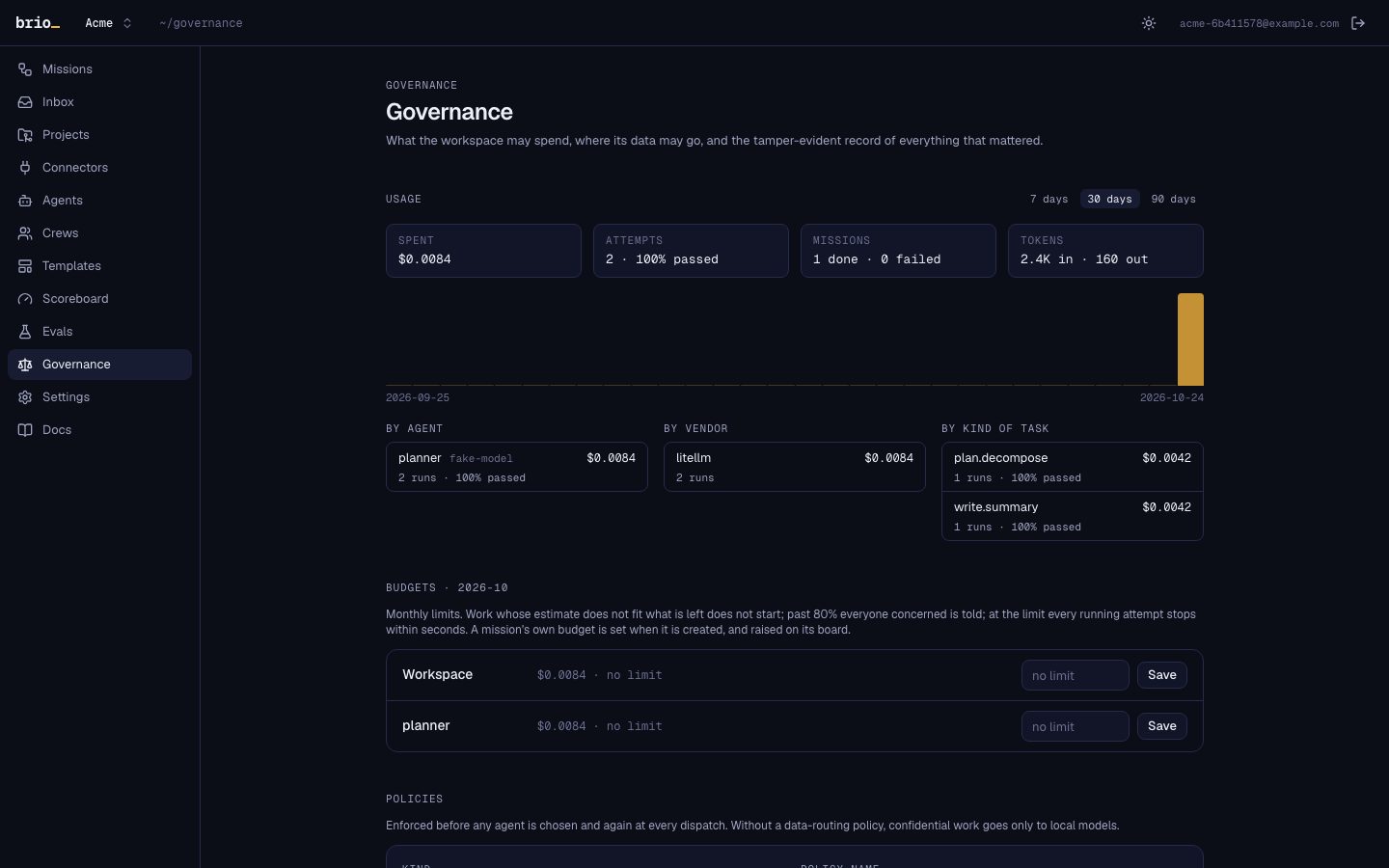
Spend, policy and audit, built in.
Budgets are checked before dispatch, policies decide where work may go, and every action lands in a hash-chained ledger.
- monthly budgets per workspace and per agent; a mission's and a task's own
- a live guard warns, then stops an attempt within seconds of crossing a limit
- data-routing, connector, network and approval policies
- usage by day, agent, vendor and task type
- a ledger you can verify and export as JSONL or CSV
- optionally, spending authority from your own Mandate
09 · Connectors
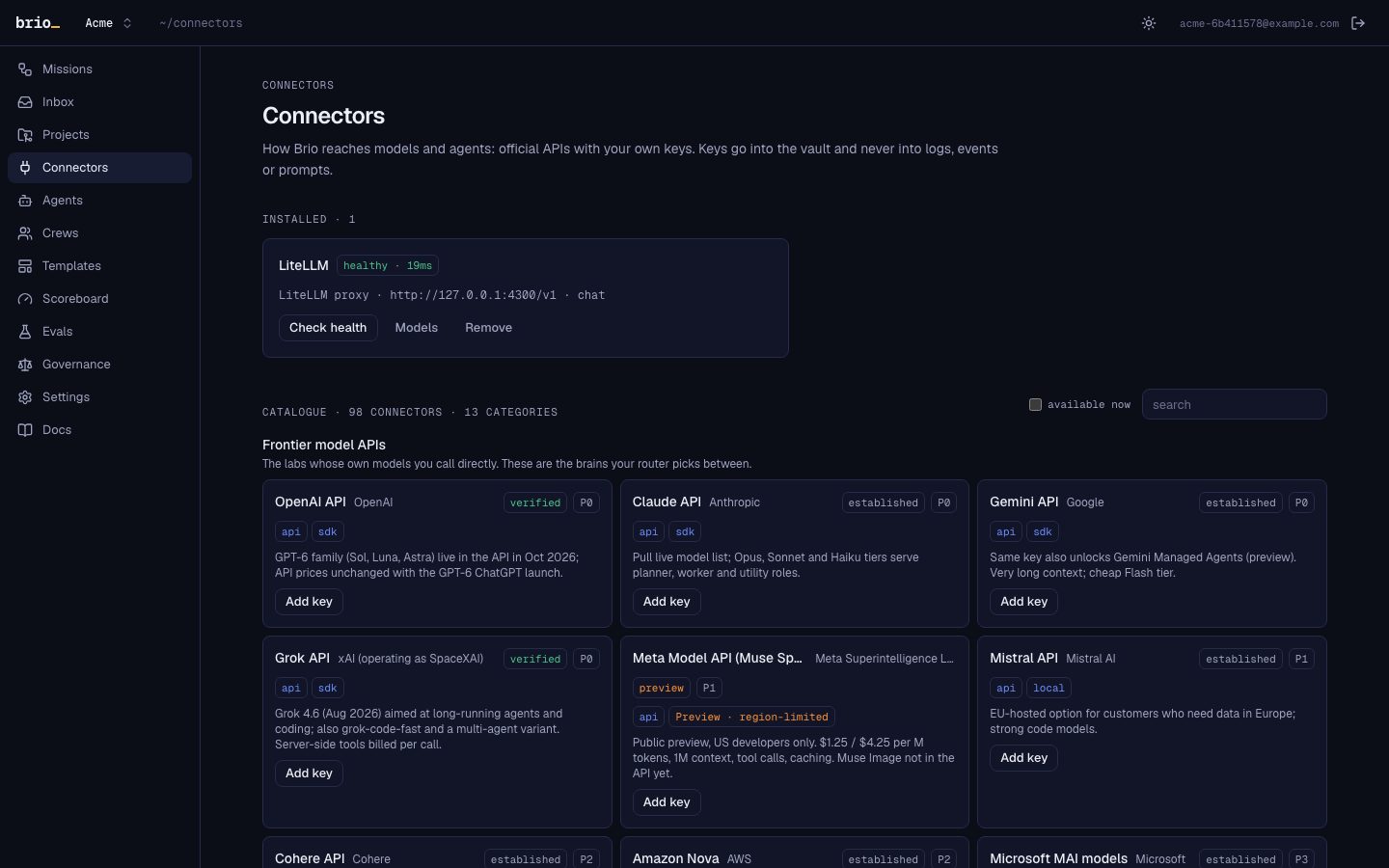
98 connectors, one interface.
Everything Brio drives goes through one AgentAdapter interface, recorded as data in a registry. Model lists come live from each vendor.
- Frontier model APIs10
- Open-weight & regional models8
- Gateways & clouds9
- Coding agents16
- Hosted agent runtimes5
- Computer-use & browser agents8
- Research & search7
- General autonomous agents4
- Image, video, voice & music10
- Design & workspace tools6
- Enterprise agent platforms4
- Protocols & frameworks8
- Automation & app hubs3
Missing one? Write an adapter; the test kit checks it against the spec.
10 · CLI, MCP, A2A, API
Use Brio from wherever you already work.
The web app is one door. The others: your terminal, your editor's agent over MCP, any A2A agent, and the REST API.
| brio login | sign in from the terminal (a code you approve in the browser) |
|---|---|
| brio run "<goal>" | plan a mission; --watch follows it, --quick starts small ones at once |
| brio plan <mission> | edit a plan: pin agents, gate tasks, reorder |
| brio board <mission> | the live board in your terminal |
| brio approve | say yes (or --deny) to what waits for you |
| brio runner register | make this machine a runner |
| brio runner start | run your tasks here, under your own CLI sign-ins |
| brio mcp | Brio's MCP tools over stdio |
| delegate | hand Brio a goal; get the verified report back |
|---|---|
| plan_mission | plan a goal without running it |
| approve_plan | start a plan you have read |
| mission_status | a mission's status, its tasks and the questions waiting for you |
| list_missions | the workspace's recent missions |
| pending_approvals | what waits for a person |
| decide_approval | approve or deny (needs the brio:approve scope) |
| ask_agent | ask the agent working on a task a question, and wait for its answer |
| answer | answer a question an agent asked you |
| get_brief | a mission's brief, and what the project remembers about some paths or a topic |
| get_contract | read a mission's interface contract, by name |
| request_review | ask a person to review something; it lands in their inbox |
| report | a mission's report: who did what, the evidence, the cost, what is open |
MCP server
A2A agent
REST API
11 · Local runner
Run tasks on your own machine, under your own sign-ins.
brio runner start connects your laptop to Brio, outbound only. Projects that live on it run there, with the coding CLIs you are already signed in to, where the vendor's terms allow it.
Docker mode, by default
Host mode, with consent
Your work only
Sign-ins stay put
12 · Teams
Workspaces, roles and invitations.
Everything belongs to a workspace: agents, missions, budgets, the ledger. Invite people by email; sign in with an emailed link, Google or a passkey.
| owner | admin | member | viewer | |
|---|---|---|---|---|
| read missions, boards, scores, memory | ✓ | ✓ | ✓ | ✓ |
| start missions, edit plans, run agents, approve | ✓ | ✓ | ✓ | |
| connectors, budgets, policies, ledger, Slack | ✓ | ✓ | ||
| invite; move people between member and viewer | ✓ | ✓ | ||
| make owners and admins; delete the workspace | ✓ |
13 · Run it
Self-hosted, with everything an operator needs.
Docker Compose on one machine or a Helm chart on Kubernetes, with the same features. Open source under AGPL-3.0.
Fifteen-minute install
Automatic updates
Ready-made images
Backups and a smoke test
A status page
A billing hook
All of it is in the box.
No paid tier and no feature held back: clone it, run it, and connect the agents you already have.